
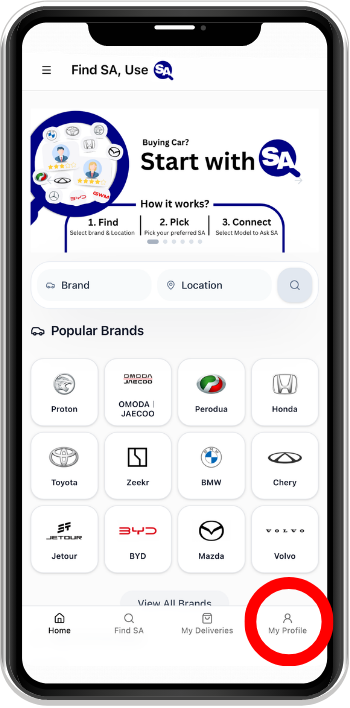
Step 1
Open My Profile
Find SA Help for Sales Advisor
Approved Sales Advisors can earn and claim Points, then redeem eligible Rewards for themselves or send Customer Gifts. A customer claims a Gift in My Rewards after signing in with the matching verified phone number. The screens below are examples; Points, dates and availability depend on each Campaign and Reward.
Approved Sales Advisors can earn and claim Points, then redeem eligible Rewards for themselves or send Customer Gifts. A customer claims a Gift in My Rewards after signing in with the matching verified phone number. The screens below are examples; Points, dates and availability depend on each Campaign and Reward.
Step 1
Open My Profile
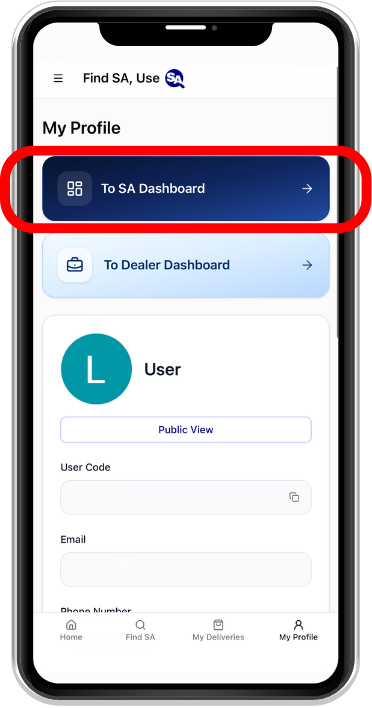
Step 2
Select To SA Dashboard
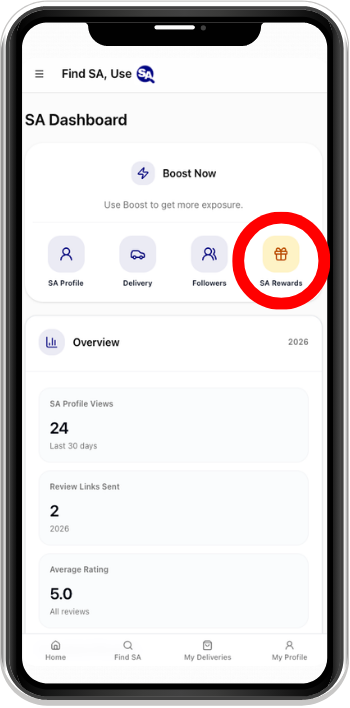
Step 3
Open SA Rewards from your Dashboard
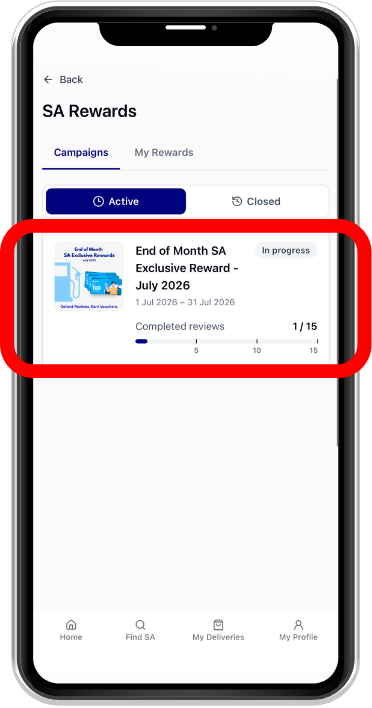
Step 4
Check your Points and browse available Rewards
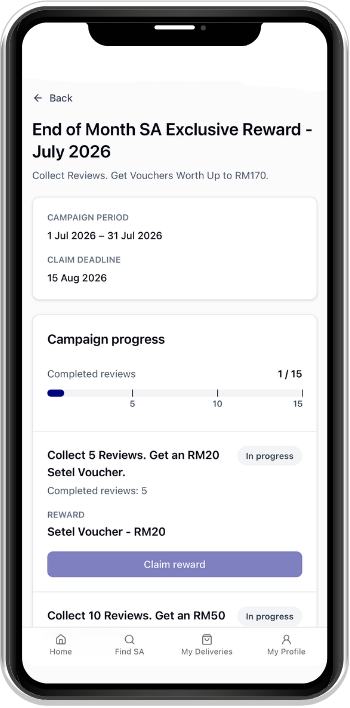
Step 5
Complete eligible activities and claim Points in Earn Points
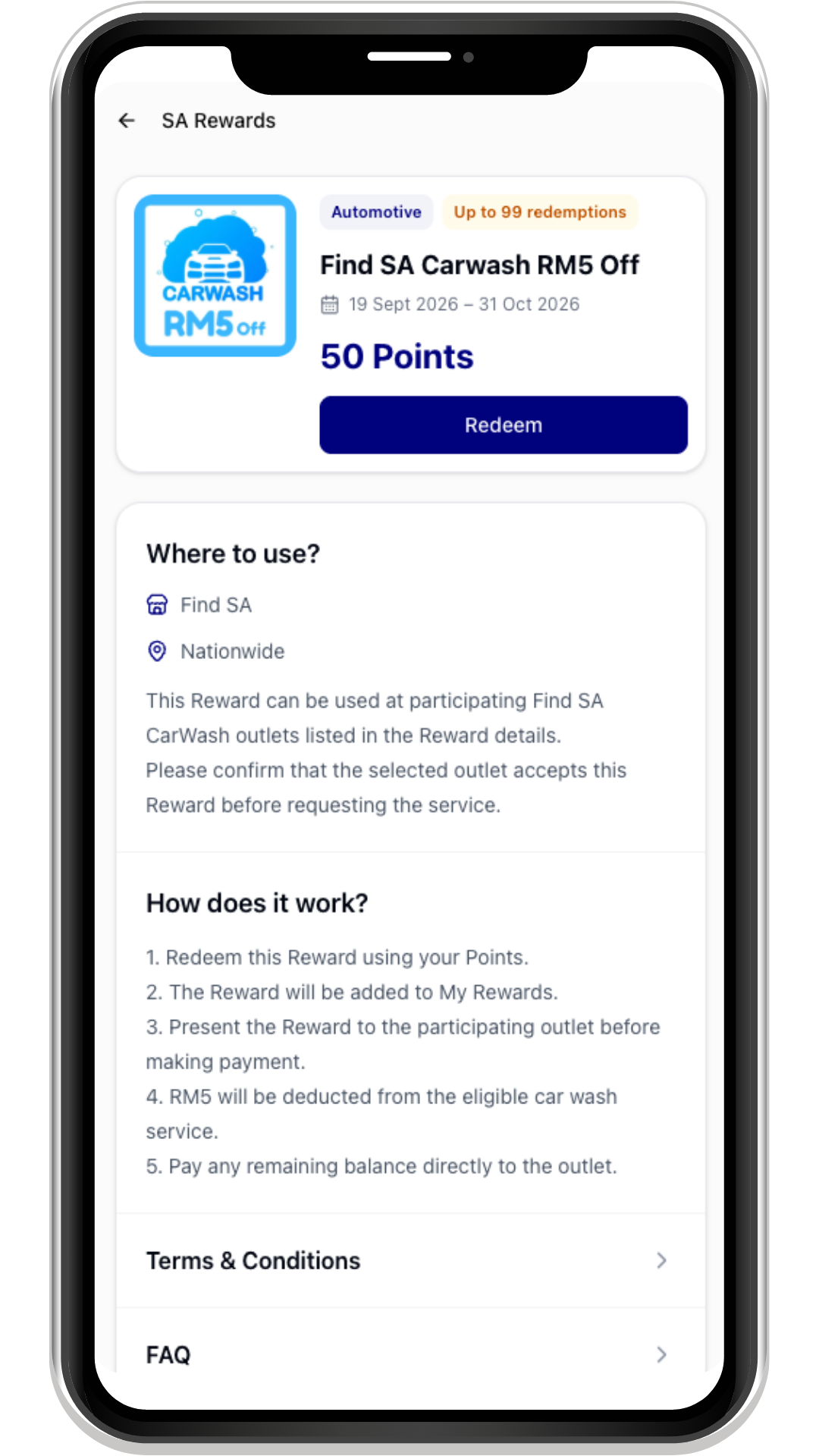
Step 6
Open a Reward to check its details and redeem it
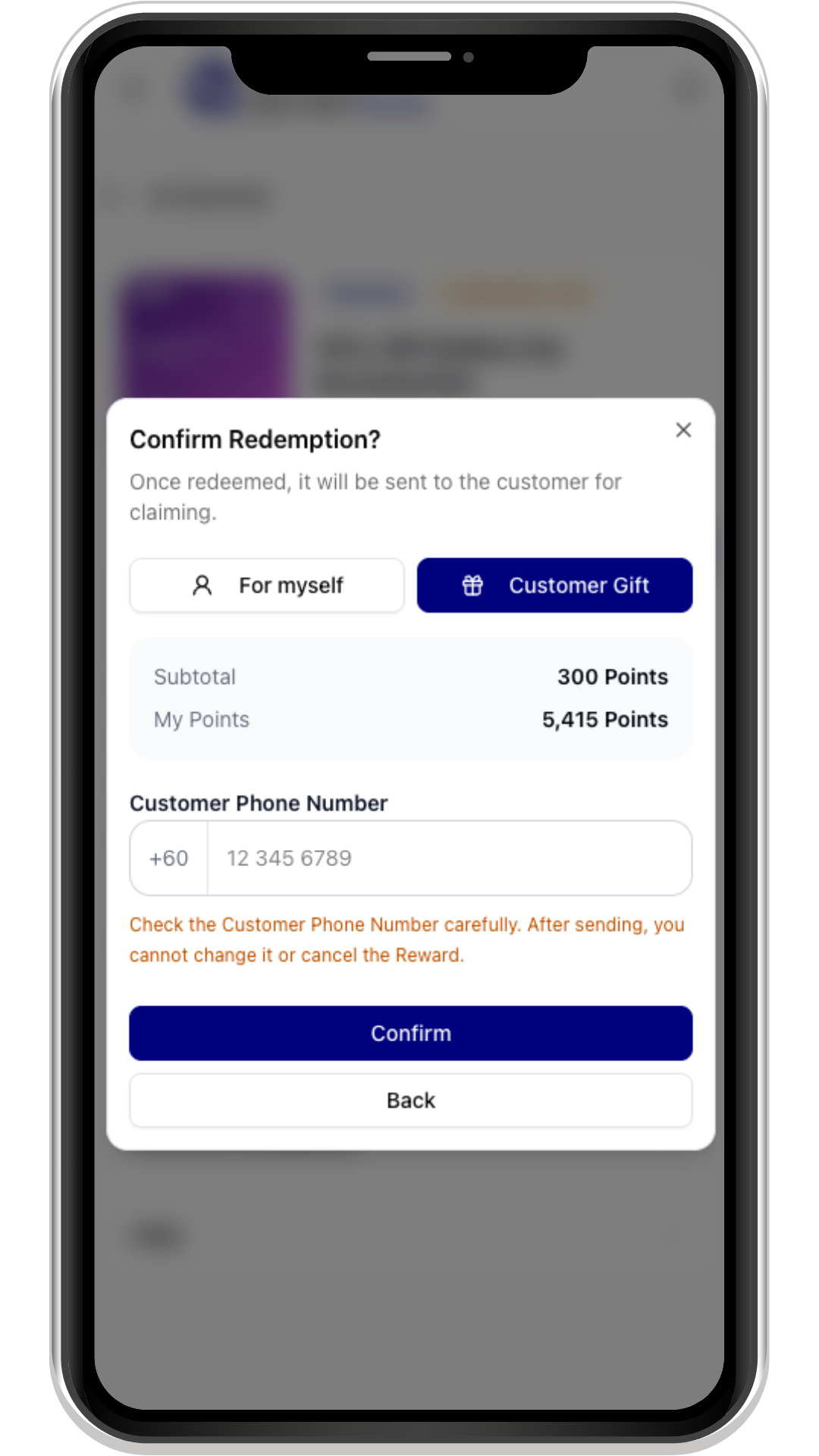
Step 7
Choose For myself or, where available, Customer Gift and confirm
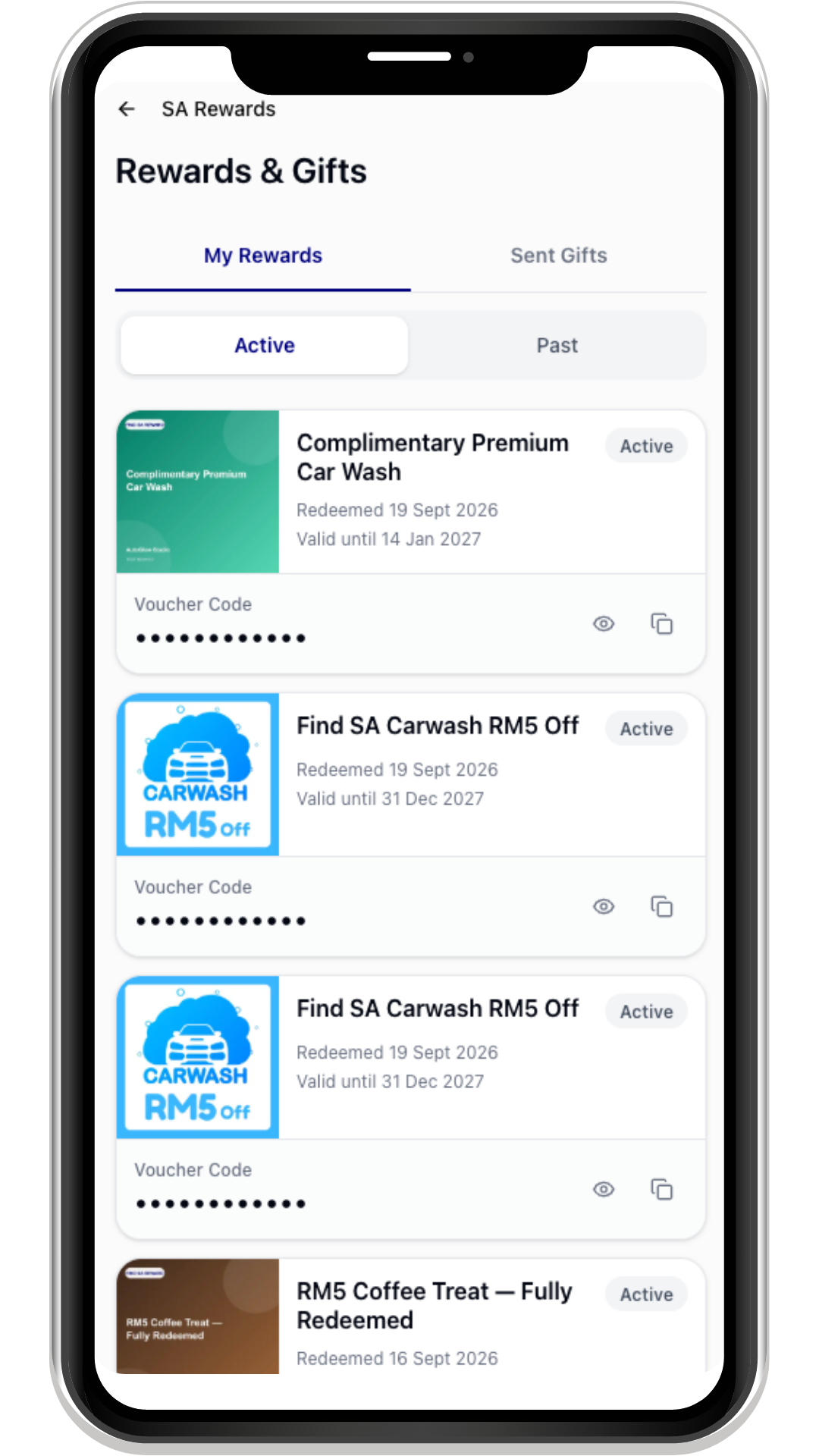
Step 8
Find your own redeemed Rewards in My Rewards; sent Gifts appear under Sent Gifts
Step 1
Open My Profile
Step 2
Select To SA Dashboard
Step 3
Open SA Rewards from your Dashboard
Step 4
Check your Points and browse available Rewards
Step 5
Complete eligible activities and claim Points in Earn Points
Step 6
Open a Reward to check its details and redeem it
Step 7
Choose For myself or, where available, Customer Gift and confirm
Step 8
Find your own redeemed Rewards in My Rewards; sent Gifts appear under Sent Gifts